Showing posts with label How to. Show all posts

How to stop other Bloggers from copying your Blog Post Image

How to stop other Bloggers from copying your Blog Post Image

Are you a blogger,Are other bloggers stealing your post Images/pictures you uploaded.Never worry again. follow the step below to put a stop to that


Try this 

Step 1 : Go to Template > Click Edit HTML > 

Step 2: Press Ctrl and F together, a box will pop up. Inside the box type </head> and press enter.

Step 3 : Copy the code below this file and paste it just after the tag </head>

Step 3 :  Click Save, and try to right click any picture on your Blog.

If you want to change the word that shows when you right click from "Hey dear, Sorry Right click is temporary disabled" to your own choice words. Follow the process above but this time inside the box type "Hey dear, Sorry Right click is temporary disabled" when it shows highlight it and replace it with your own choice of words and click save.


<script type="text/javascript">
//<![CDATA[
    function nocontext(e) {
        var clickedTag = (e==null) ? event.srcElement.tagName : e.target.tagName;
        if (clickedTag == "IMG") {
            alert(alertMsg);
            return false;
        }
    }
    var alertMsg = "Hey dear,Sorry Right click is disabled";
    document.oncontextmenu = nocontext;
//]]>
</script>


If you still have problem, then ask through comments. I will reply to your comment here.
CLICK ME TO READ MORE

Easy Method: How to Change Android IMEI To Blackberry IMEI and enjoying BIS subscription

Easy Method: How to Change Android IMEI To Blackberry IMEI and enjoying BIS subscription


Most android users always want the blackberry subscription on their phones because of the cheap charges attracted to it, so today we are going to take a look at how to use such subscriptions on android devices by changing the IMEI numbers of your android device to that of a blackberry
CLICK ME TO READ MORE

How to Quickly Add Google Analytics to Your Blog and website

 How to Quickly Add Google Analytics to Your Blog and website


 You have a blog. You spend hours writing great content on your blog. So why not take a few minutes to set up Google Analytics to monitor your stats? It’s a no brainer – If you commit a few minutes now to set up your Google Analytics to track, then you’ll be able to let the data you get help inform your strategies, topics, and promotion.
CLICK ME TO READ MORE

How to add Snow Falling Effect To Your Blog or stattic website [Christmas Special]

 How to add Snow Falling Effect To Your Blog or stattic website [Christmas Special]

Hello readers,today I Wish you merry Christmas in advance. One of the world's biggest festival is around the corner, so let's prepare for it. I got a mail from blog home page Malta asking me to explain how I added snow effect on my blog (just like the one on my blog).So after sending the steps to him I decided to put it up here so everyone can benefit from it.
CLICK ME TO READ MORE

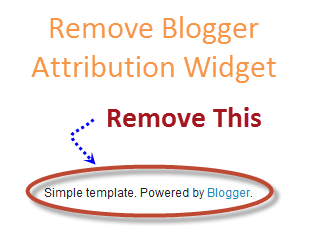
Remove "Powered By Blogger" Attribution Gadget In Blogger

Remove "Powered By Blogger" Attribution Gadget In Blogger


The attribution gadget is a gadget present at footer of blog and says "Powered by Blogger".The gadget is locked,when you click on the edit link of attribution gadget you will notice that there is no Remove link,Because the gadget is locked officially by the blogger.To unlock the gadget follow my below easy steps carefully. remove it.

I will show you how to remove it with ease.
CLICK ME TO READ MORE